declutter • organize • manager • album • cleanup • delete • image • picture • remove • sorter • fotos • photos • gallery • camera roll • clear cache • free up storage • duplicate • swipe left • swipe right • swipe up
Photo Swipe Cleaner: Clean Up


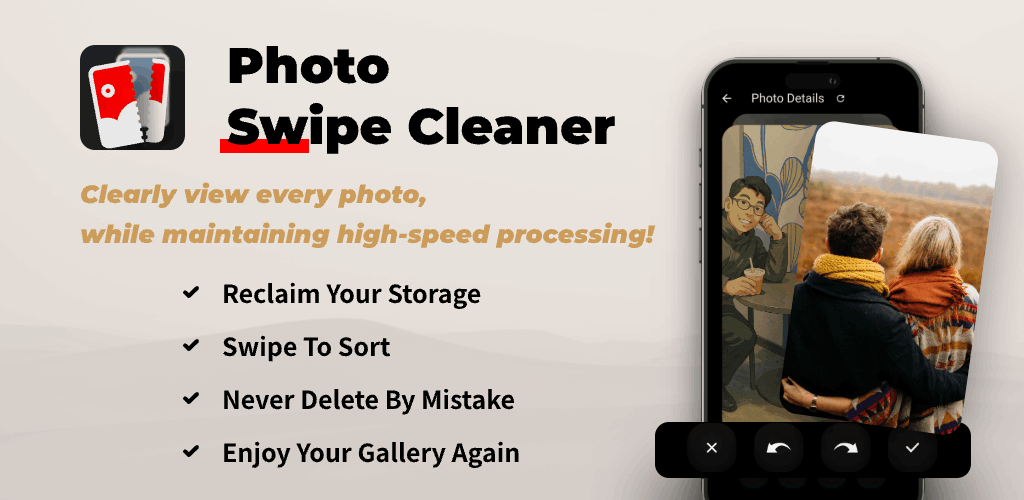
Photo Swipe Cleaner
Clean Up with Confidence, Not Anxiety
Mindful swipe, a safety net, and rediscover joy.

The Mindful Swipe
See each photo clearly. Swipe left to sweep away junk (screenshots, blurry pics), swipe right to keep the ones you cherish. You are always in control.
A Safety Net for Your Memories
Worried about a wrong swipe? Deleted images go to a temporary, easily accessible bin first. Undo is simple — your memories stay safe.
Rediscover Joy, Not Just Space
Declutter your camera roll and rediscover beautiful moments. More than a storage cleaner — fall in love with your photos again.
Powerful & Fast
Clear cache and remove gigabytes of junk in minutes. Get both worlds: speed and security.
Perfect For
Feeling overwhelmed by your gallery
Calmly sort photos without pressure. Keep what matters, remove the rest.
Organizing albums, but not sure where to start
A simple, guided flow to organize and declutter albums with confidence.
Parents who need more storage
Save every precious moment while freeing up space for new ones.
Afraid to lose important pictures
Temporary bin and undo make cleanup safe. Your memories stay secure.

Tools & Optimizations
Clear Cache & Free Up Storage
Free up space fast — clear cache, clean junk, and optimize storage. A helpful iPhone storage cleaner and Android phone cleaning companion for your photo gallery and photos app.
Duplicate & Similar Photos
Find and remove duplicates with ease — a mindful duplicate photo finder approach. Declutter pictures, sort by size (coming soon), and keep only the best shots.
Camera Roll Sorter
Clean the camera roll and organize albums. A smart picture sorter for gallery cleanup — swipe left to delete, swipe right to keep, swipe up to view details.
Safe Delete & Undo
Clean sweep without fear. Deleted photos go to a temporary bin so you can undo if needed. For permanent deletions outside the app, use iCloud or system recovery options.

Photo Swipe Cleaner At A Glance
HEAR IT FROM OUR USERS
" Cleanup felt safe — the temporary bin and undo saved me from mistakes. Storage freed, memories intact. "

Lena
Photographer
" I finally decluttered years of screenshots and duplicates. The swipe interface made it easy and calm. "

Tom
Dad
Frequently Asked Questions
What is Photo Swipe Cleaner?
A mindful gallery cleaner that helps you declutter photos with a clear swipe interface and a safety net for mistakes.
Is deleting safe?
Yes. Deleted pictures go to a temporary bin first. Undo is easy, so your memories remain protected.
Can it help with duplicate photos?
Our large preview design makes it easy to spot and delete duplicates and similar-looking images yourself.
How do swipe controls work?
Swipe left to delete, swipe right to keep, and swipe up to view details. Simple gestures to clean your camera roll and photo gallery.
Can I sort by size or type?
We are building advanced sorting tools (e.g., sort by size). For now, use the clear swipe flow to manage pictures quickly.
Does it support iPhone & Android?
Yes. Works great with your Photos app and gallery. Helpful for iPhone storage cleaner and Android phone storage optimization.
Is it an antivirus or email cleaner?
No. We focus purely on photo cleanup and organization — not antivirus or inbox cleaning. Use dedicated apps for email or malware.
Multiple language terms
You may see terms like “clear cache”, “free up storage”, “almacenamiento/limpiar/eliminar”, “nettoyage/supprimer”, “limpar”. They all point to keeping your gallery clean and organized.
Does it clean iCloud or cloud albums?
No. Photo Swipe Cleaner focuses on local photo gallery cleanup. iCloud storage and cloud album management should be handled in system Settings or iCloud tools.
Can it uninstall apps or clear app cache?
No. It is not an app remover or app cache cleaner. Use system app management or professional tools (e.g., Malwarebytes, Avast, AVG). For email deletion, use your mail app or dedicated inbox cleaners.
Is the core experience free?
Yes. Core features are free and ad-free. Future premium options may be offered via in-app purchases or subscription.
Where can I read the privacy policy and subscription rules?
See our Privacy Policy and the User & Member Subscription Agreement in the policy section above.
Are there in-app purchases and what do they cost?
Optional feature packs may be offered. Pricing follows real-time in-app display (typically $0.99–$5.99).
How are payments and renewals handled?
Purchases are charged to your iTunes Account. If subscriptions are introduced, manage them via Apple ID settings according to App Store rules.
How do I contact support?
Email winkiwiki@QQ.com with your app name, platform and version for faster help.
Download Photo Swipe Cleaner now. Free up storage. Keep your memories.
Free core experience. Swipe to clean, keep what matters.