· Winki Team · Focus One · 9 min read
Why I Built a Focus Timer for My Own Screen Addiction
I have a moderate-to-severe screen addiction and slight ADHD. Here is the honest, still-incomplete story of building a focus timer that tries to pin the day's most important task on top of my phone.
TL;DR — I have a moderate-to-severe screen addiction and slight ADHD. The idea behind Focus One was simple: pin today’s most important task on top of everything else, so the moment I reach for my phone I see what I am about to ruin. The phone’s operating system did not agree. This is the honest, still-incomplete story of how we built a focus timer anyway.
I have a screen addiction, and a slight case of ADHD
I’ll start with the embarrassing part. I built this app for myself.
I have a moderate-to-severe screen addiction. I also have slight ADHD — the kind that does not need medication but reliably turns “I’ll just read one chapter” into “why is it 2 a.m. and I am watching a stranger fold towels on TikTok.” Reading, writing, finishing a single task — all of it got harder as my phone got smarter.
I tried the usual things. App limiters. Site blockers. Forest. One Sec. Pomodoro apps. Each one helped for a few days, then the friction moved. The app I needed to read on became the app I scrolled on. The one-tap shortcut to the book was also the one-tap shortcut to Twitter.
So the goal was not “another focus app.” The goal was a very specific, almost stubborn idea.
The idea: pin today’s most important task above everything else
I wanted the day’s most important task — just one task — to live on top of my phone. Not buried in a notification. Not behind a tap. Above all the apps, all the feeds, all the open tabs.
The moment I picked up the phone, I wanted to see what I was about to break. Not a cute animation. Not a streak counter. The literal thing I had decided mattered most today, sitting where the wallpaper sits.
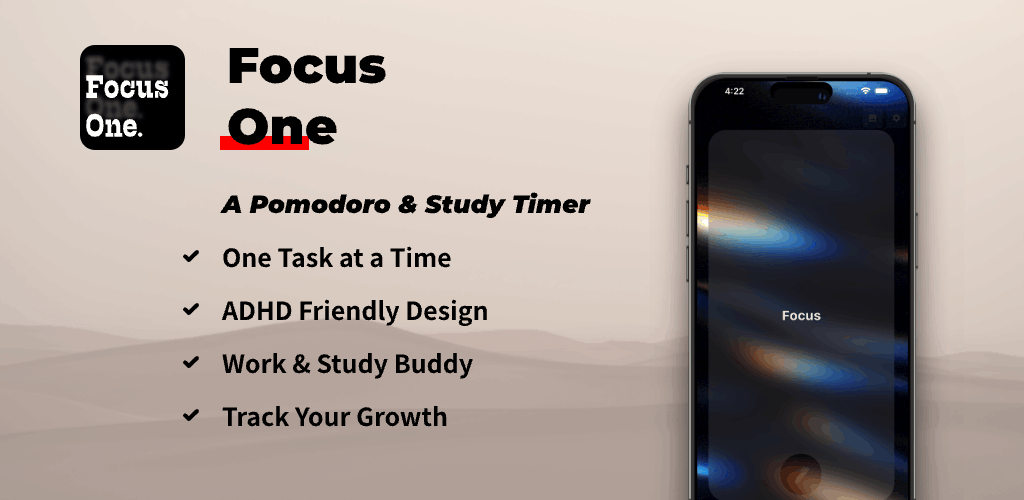
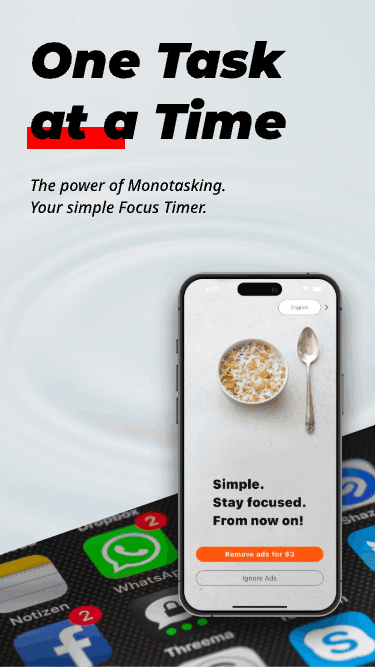
That is the entire premise of Focus One: a minimalist, visual focus timer built on monotasking. Pick the one task. Start a pomodoro timer. Stay with it. The rest of the phone can wait.
In a perfect world, that one task would also stay on my lock screen, on my always-on display, and follow me between phone, tablet, and watch. The pomodoro would tick into the lock screen so I could see it without unlocking. The focus tracker would record a pomodoro every time I finished a block, and a yearly report at the end of December would show me how many hours of my real attention I had given to the things I cared about.
None of that has fully happened. Here is why.
The wall: the operating system does not actually let you do this
I want to be honest about this part because it shaped everything we shipped.
There is no public iOS API that lets a third-party app control whether other apps launch. There is Screen Time, but Screen Time belongs to the user, not to your app, and the moment the user disables it, your whole “do the task first” feature is gone. There is no API to put a custom view above the home screen, above the lock screen, above the always-on display, on every device, in a way that survives a reboot.
On Android, the story is similar but different. UsageStatsManager and Device Admin can do remarkable things, but they require scary permissions, get revoked aggressively, and behave inconsistently across manufacturers. There is no clean “this task floats above everything” primitive.
If you want a third-party app to gate other apps on iOS or Android, you are, in 2026, asking the OS to do something it was deliberately not designed to do.
That is the wall. Everything else is a workaround.
What we tried, and what quietly failed
We tried a lot of small things before we accepted the wall.
- Keep the screen awake with today’s task on top. The closest we got. The visual focus anchor and the pomodoro timer you see in Focus One are the surviving version of this. Calm, not aggressive. It works as long as you keep the app open. The moment you swipe it away, it is gone.
- A persistent lock-screen widget. iOS widgets on the lock screen are the closest the OS has come to what I wanted. They are pretty good. They are also not always-on, not pushable in real time by a third-party app, and not under your control in a way that lets you say “this is the thing, do not let me forget it.”
- Notifications that come back. Smart nudges. “Your most important task is still X.” They work, but they also trained me to dismiss them. The dopamine loop you are trying to break is the same loop that makes a notification feel like noise within a week.
- A shared always-on display between phone and watch. Wear OS and watchOS each have their own always-on rules, and neither lets a third-party app fully own the surface. You can show a complication. You cannot make it the screen.
- App control via app launch interception. Not possible on stock iOS at all. On Android, possible only with root or an accessibility permission the user has to re-grant frequently. Not the kind of friction a regular person will keep paying.
Each of these was a small defeat. Together they were the answer: a focus timer can support you, but it cannot lock the door.
Where we are now: the honest, incomplete answer
So what we shipped is the version that respects the wall.
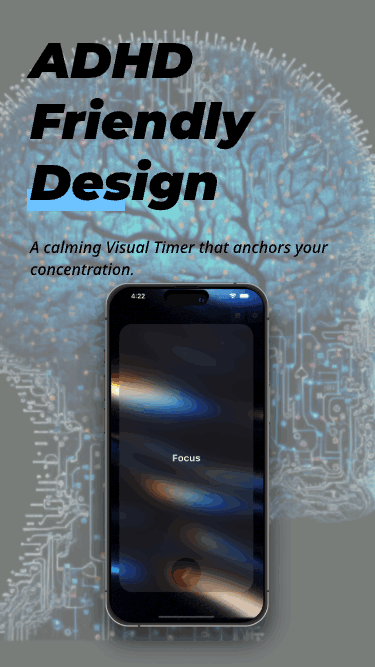
Focus One is a pomodoro timer and a visual focus anchor. It does one thing well. It does not try to hijack your home screen. It does not pretend to be Screen Time. It gives you a calm, single-task surface, with a 15-, 20- or 30-minute focus block at a tap, plus 1- and 3-minute quick timers for the moments when starting is the only problem.
A few things we are still working on, in the open:
- A focus tracker that records the focus blocks you actually finish, so the end-of-year view is honest.
- A community presence that lets you see who else is in a quiet session right now, because shared silence is louder than a notification.
- A daily-routine layer that pulls today’s single most important task from your calendar and surfaces it again, more gently than a notification.
None of those are there yet. We are not going to pretend they are.
If you have read our earlier posts — Do One Thing Well and Monotask by Design — you already know the design philosophy. This post is the other half: the engineering reality under the philosophy. Both are true. The philosophy is what we aim for. The engineering is what we have to live inside.
What I learned: keep digging, ship in slices, follow the OS
If you are an indie developer working on something the platform does not want you to do, here is what I wish I had known on day one.
- The OS is a partner, not a canvas. Every time you find a clever workaround, an OS update will quietly remove it. Build for the platform you have, not the one you wish you had. This is the same lesson the Aesthetic Calculator refactor taught us in a different way: clever code is not the same as durable code.
- Ship the slice that respects the wall. A focus timer that helps you stay on one task is a real product. A focus timer that pretends to lock the door is a product that will not work six months from now.
- Honest limits are a feature. Telling people “this is what the OS will let us do, here is the workaround” is more trustworthy than pretending you have a magic key. The digital wellbeing conversation is bigger than any one app, and pretending otherwise hurts the people you are trying to help.
- Focus apps live inside screen time, not above it. We are a companion to the OS tools, not a replacement. The day Apple or Google ships a real “task on top” primitive, half of Focus One becomes unnecessary. That is a future I want.
If you have ever built anything against a closed platform, you have probably lived some version of this story. The interesting part is not the wall. The interesting part is the slice you choose to ship anyway.
Your turn: how would you build this?
Here is where I am asking for help, genuinely.
If you have ever wanted a task to sit on top of your phone — on the lock screen, on the always-on display, on a watch face, in a glanceable place that no scroll can bury — how would you build it? What platform primitive would you use? What workaround would you accept? What part of “today’s most important task” is the part you most wish your phone respected?
Send your ideas, your sketches, your code, your frustrated tweets to winkiwiki@QQ.com. Include the device and platform you are thinking about, because iOS and Android will not share answers. The best replies will go into a follow-up post, with credit.
I will not pretend this is a solved problem. I built a focus timer because it is the piece I could ship inside the wall. The rest of the wall is still up, and I would rather learn out loud than ship a lie. If your goal is to stop procrastination on your own terms, that learning loop is the most useful app detox I have found.
Frequently asked questions
Why did you build a focus timer instead of a Screen Time alternative? Because Screen Time is the OS’s job, not ours. A focus timer is what we can actually ship on top of the wall. Focus One is the tool I needed for my own screen addiction; it is a companion to your phone’s own tools, not a replacement.
Is Focus One an ADHD focus app? It is built around ADHD focus habits — single task, clear endpoint, short intervals — but it is not a clinical tool. If you are looking for a diagnosis, screening, or treatment app, please use a proper medical resource. For a calmer daily focus surface, Focus One is the honest option we have.
Will Focus One ever block other apps? No. iOS does not let third-party apps do that, and we are not interested in shipping a feature that depends on permissions the OS can revoke tomorrow. The closest we get is the calm pomodoro timer and visual anchor in the app, and the rest is up to you. If you want a stronger app detox, pair Focus One with your phone’s built-in Screen Time or Downtime.
Where can I send my idea for the “task on top” feature? Email winkiwiki@QQ.com with the device, platform, and your idea. The best submissions will be featured in a follow-up post.
Focus One
A focus timer built for ADHD focus & digital wellbeing. Ad-free.
Scan to Download